Wavetable Assembler
Assemble Single Cycle Waves into a Wavetable
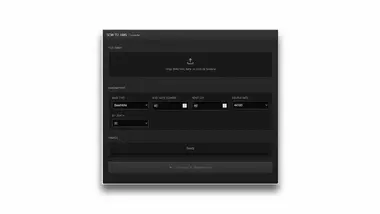
1. Import Single Cycle Waves
- Drag and drop single cycle waveforms[wav files] directly into the app
2. Configure Output Settings
- Select the Sample Rate
- e.g. 44.1 kHz, 48 kHz
- Select the Bit Depth
- e.g. 16-bit, 32-bit float Adjust these settings to ensure compatibility with your DAW or synthesizer.
3. Export Wavetable
- Click the “ASSEMBLE & DOWNLOAD (with CLM)” button to generate the wavetable file.
[02.28.2026 Update] Minor Update: Added clm chunk off mode
![Additive Wavetable Generator [Web Edition]](/_astro/AWG-app-card.CwGmd-8R_Q8fKM.webp)