Sound Design Analog Four
How to use Analog Four as an effector
kimura taro •
Description of the signal path
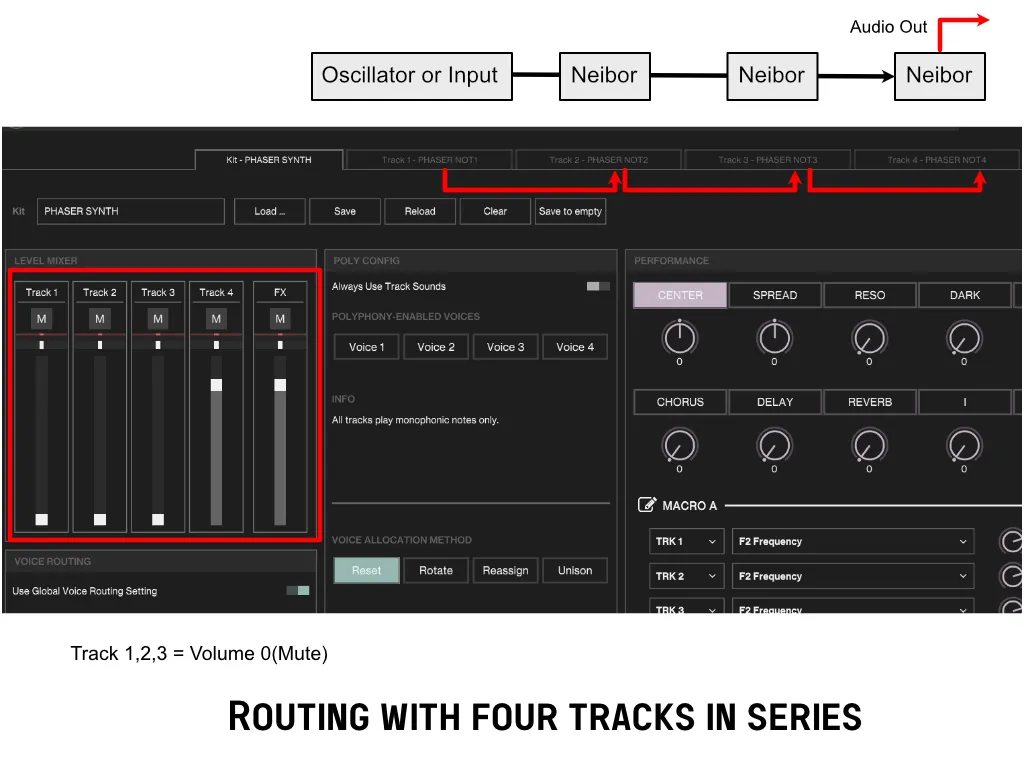
- Mute the volume on Track 1, 2 and 3
- Oscillators 1 and 2 on Track 1 set the waveform or input
- Set oscillator 2 of track2,3,4 to Neighbor
- Set the amp release for all tracks to infinite.
How to use Overbridge to route DAW sounds to A4
Learn how to assign sounds from your DAW to the inputs of the Analog Four via Overbridge.
Turn on synth track 1 in Output Channels.
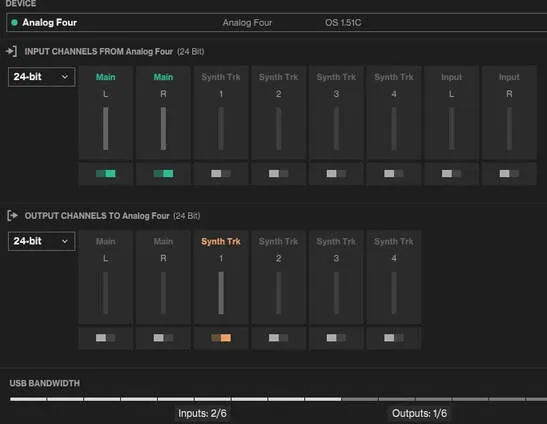 Assign the outputs of the sound source you want to play to Overbridge to Sidechain1/2.
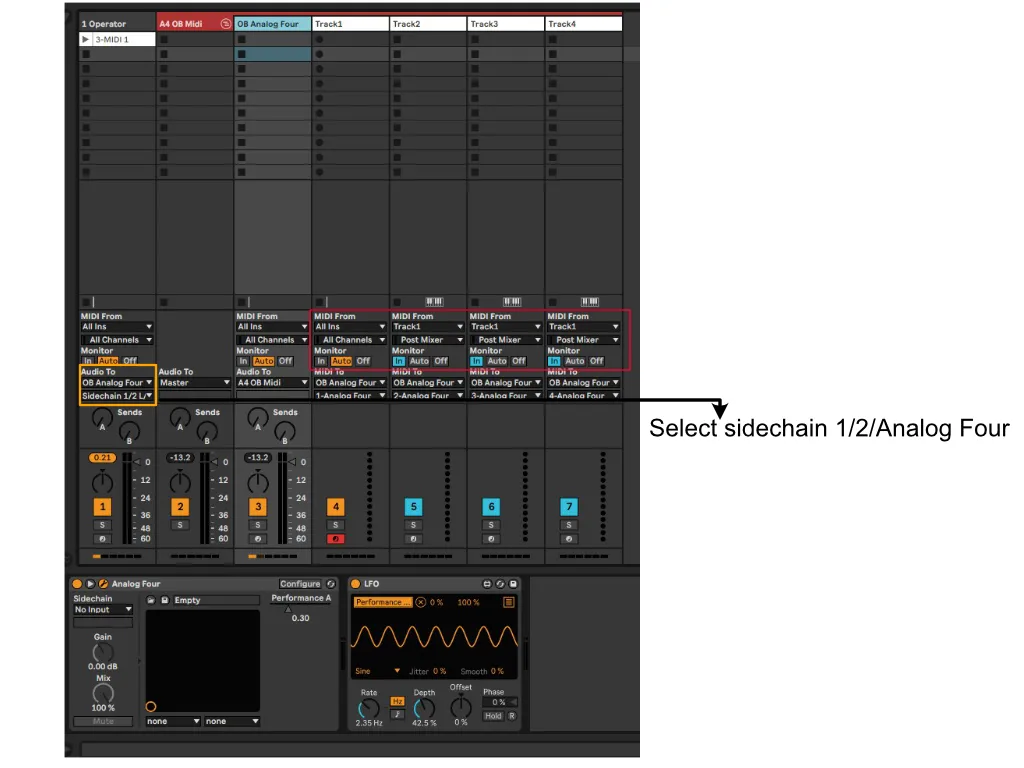 Assign Input1 from Sidechain routing to track 1
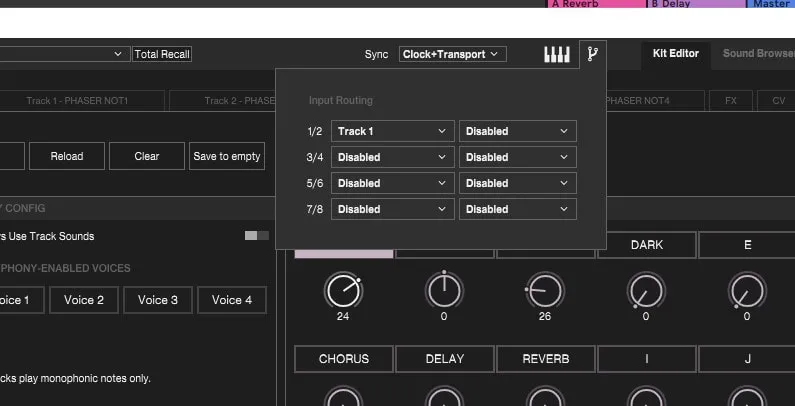
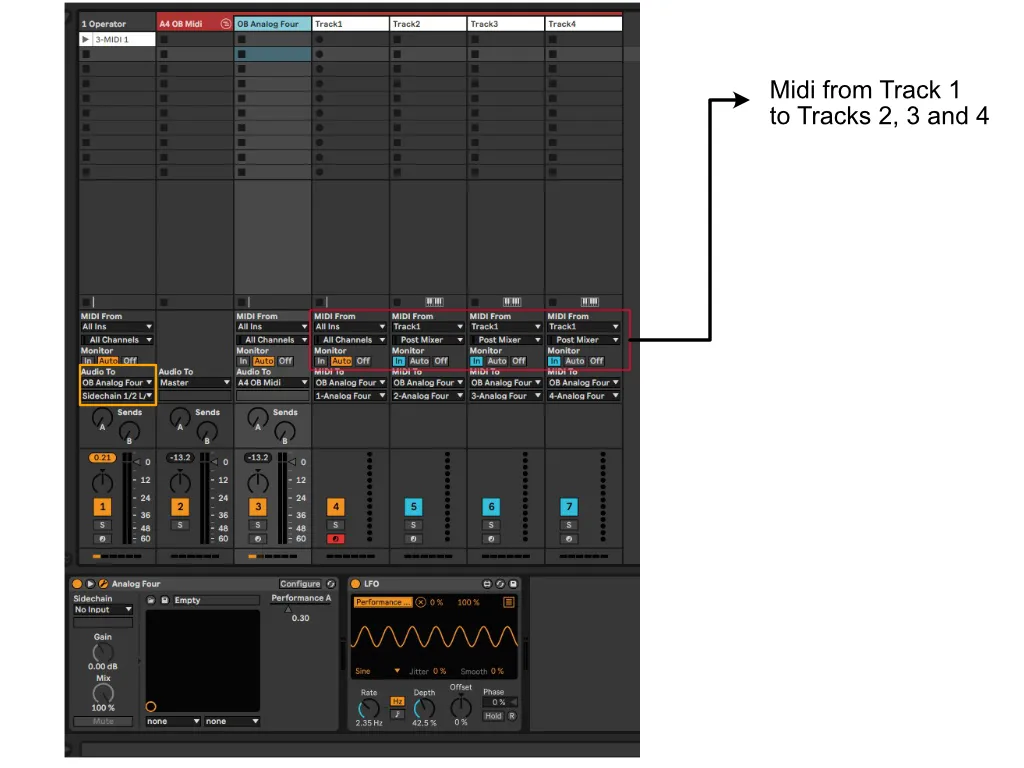
Midi routing
Here is an explanation of midi routing if you want to play with track1’s oscillator or an external oscillator.
![Sound Design for Sourcelab: Unison[Updated]](/_astro/SourceLab-card.DhopLKkR_jCKD7.webp)